


Last Updated on February 11, 2026 by Eve Dawes
Who the Camp Snap CS-8 Is For (and Who It Isn’t)
The Camp Snap CS-8 digital video camera is designed to bring back the simplicity and charm of Super 8, home-movie videography without screens, apps, or constant distractions. Marketed as a screen-free digital video camera for creatives and nostalgia lovers. Inspired by the iconic Super 8 reimagined for today, the CS-8 promises a more intentional way to capture moments. In this Camp Snap CS-8 review, I’ll break down how it performs in real life, who it’s best suited for and who it’s not, and whether this minimalist digital video camera is actually worth buying in a world dominated by smartphones. Plus my exclusive Camp Snap discount code they’ve given me to share with you.
This article contains affiliate links and gifted items which do not affect the price and all opinions are my own.
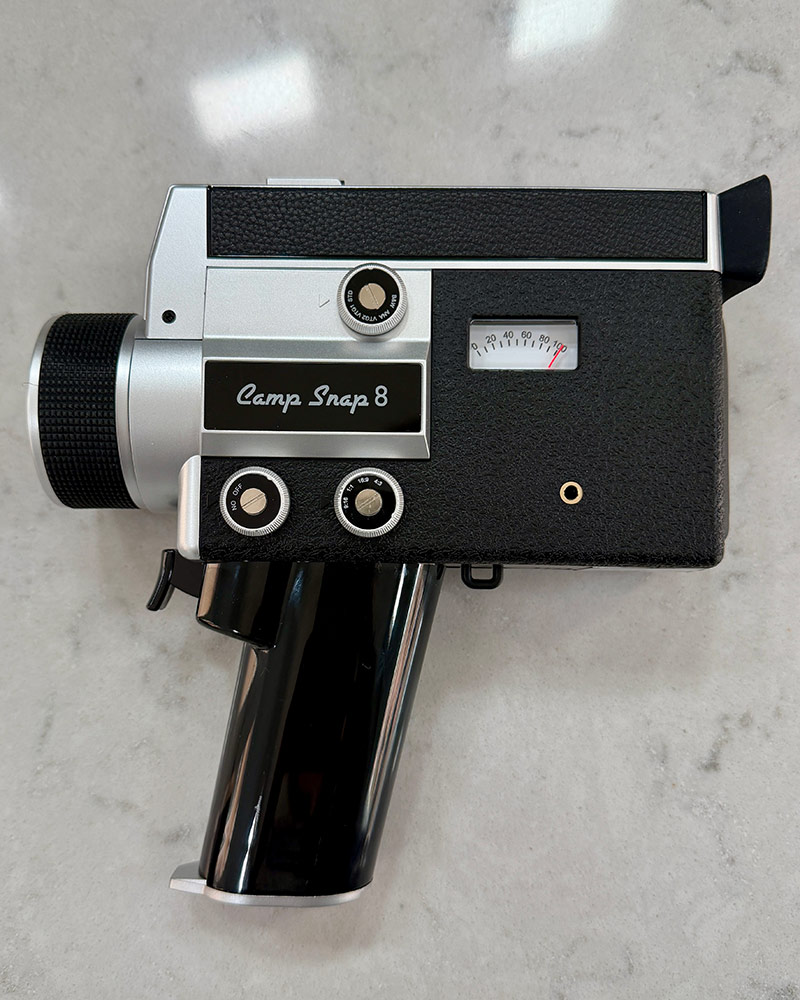
What makes the Camp Snap CS-8 digital video recorder different?
For me I found not having a digital screen, filming with one eye, having no way to play what I’d shot back, and the overall visual of the footage from the Camp Snap CS-8 camera the most different.
With no playback screen and no instant previews, the CS-8 brings back the magic of filmmaking where you stay in the moment and experience the surprise later. Camp Snap
Camp Snap camera review: How easy is it to use?
There’s not much of a learning curve, it’s super simple to use. Just squeeze the trigger, aim at what you want to capture, and release the trigger when you want to stop filming. It films one clip per trigger pull. A few tips for using it:
- Make sure your Camp Snap CS-8 video recorder is fully charged before each use. You can keep an eye on your battery level with the monitor on the casing.
- Delete your SD card after each time you transfer to make sure you have enough memory. You can also upgrade to an SD card with a bigger memory.
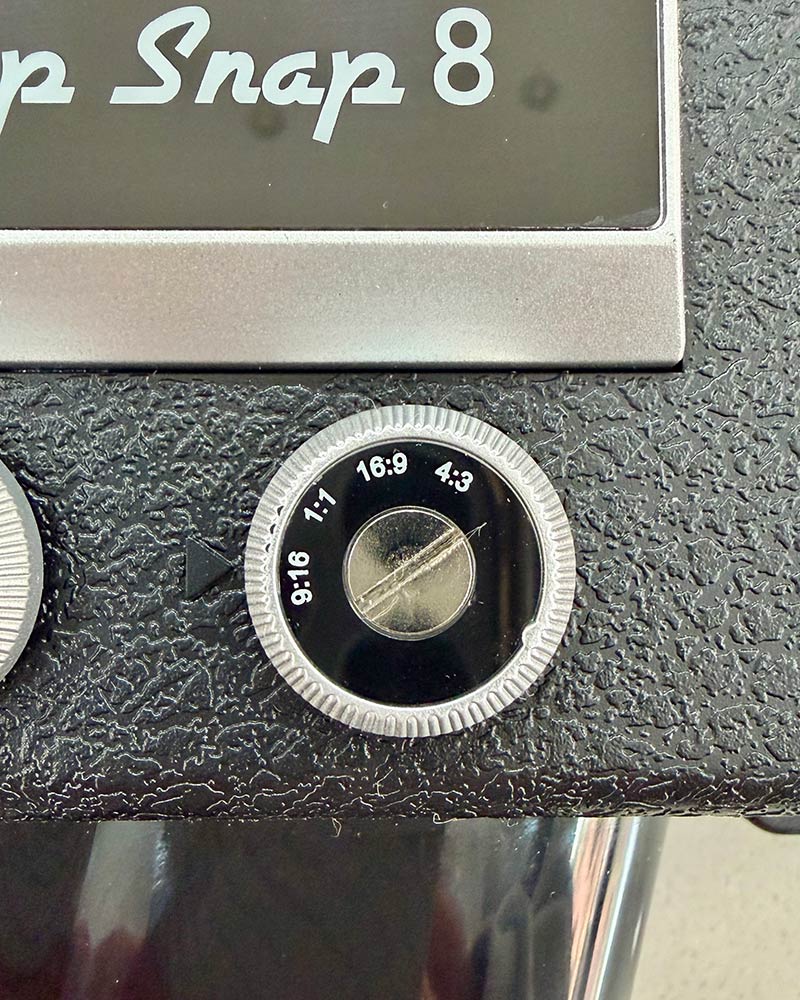
- Make sure the aspect ratio is set to where you want it to be. The 1st time I used it I had it on the wrong ratio as the writing is small and hard to read in low light.
- Pay attention when you pull and hold the trigger to make sure you’re actually recording by looking at the top left of the view finder to see the timer and red recording icon.
- I highly recommend getting a light that fits the cold shoe as there’s no built-in flash.
- There is a built-in mic but if you’re looking for high quality sound, use the mic jack.
- Buying the lens cap add-on is highly worth it!

Camp Snap CS-8 review: favorite features, pros and cons
These are some of my favorite features of the Camp Snap screen-free digital camera and some of the downsides.
Pros:
- I like how easy it is to charge with a USB-C cable.
- It’s distraction free. Shoot and forget it until you get home!
- It’s super lightweight for it’s size (519g / 18.5oz)
- The price! You won’t find many video recorders under $200 (when you use my discount code EVE7).
- 5 customizable image filters (more on those below).
- 8x digital zoom (use the “W” and “T” buttons to zoom in and out).
- Shoot in all popular aspect ratios (see below).
- Pre installed 4gb SD card, upgradable to 128 gb.
Cons:
- This camera isn’t going to fit into your pocket or most of your evening bags but it will fit in bigger bags or you can buy their CS-8 Accessory Starter Kit which includes a carrying bag, lens cap (highly recommend), and wrist lanyard.
- You can’t check your footage on the camera to make sure you caught the footage you wanted. When using it for work, I tend to also film on my iPhone so I have a backup.
- No stabilization.
- Poor sound quality (fixed by using the mic Jack).
- It shoots video only, it doesn’t take photos.
- It takes a while to recharge.
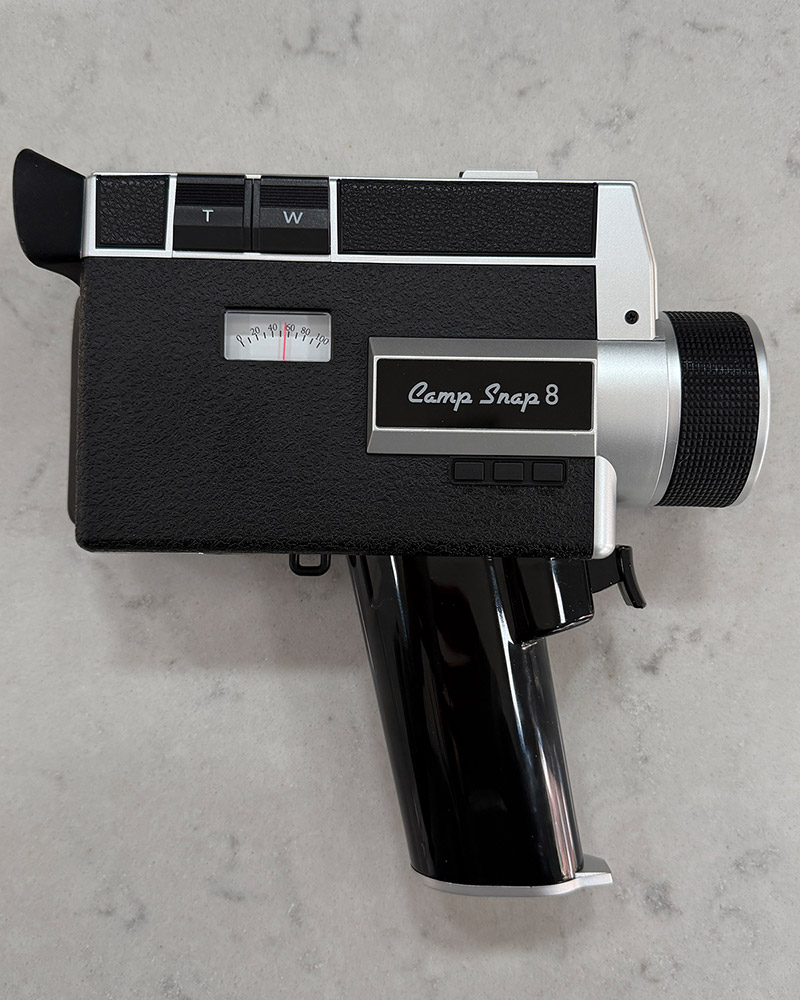
What aspect ratio does the CS-8 shoot in
You can choose between 4 aspect ratios on the Camp Snap screen-free digital camera:
- 9:16 for Reels and YouTube shorts (which where I tend to leave mine set).
- 16:9 for cinematic widescreen (long format YouTube).
- 1:1 for social-ready squares.
- 4:3 for classic home movie feels.
What are the filters available on the Camp Snap CS-8 CS-8
- STD (Standard): Classic camcorder feel. 30 FPS with natural color and no added effects. This is where I tend to leave mine set.
- VTG 1 (Vintage 1): Soft, faded colors that give you a true ’90s vibe. 30 FPS.
- VTG 2 (Vintage 2): Warm, nostalgic tones with a film-like glow. 30 FPS.
- ANA (Analog): Textured, imperfect, and grain. Designed to look like a real 8mm home-movie film. Shoots at 18 FPS. This is the grainiest and most vintage looking of all of the filters.
- B&W (Black White): Timeless monochrome for a clean, dramatic look. 30 FPS. I tend to not shoot in this as it’s an easy filter to add afterwards in most video editing apps.
- Make your own filter.
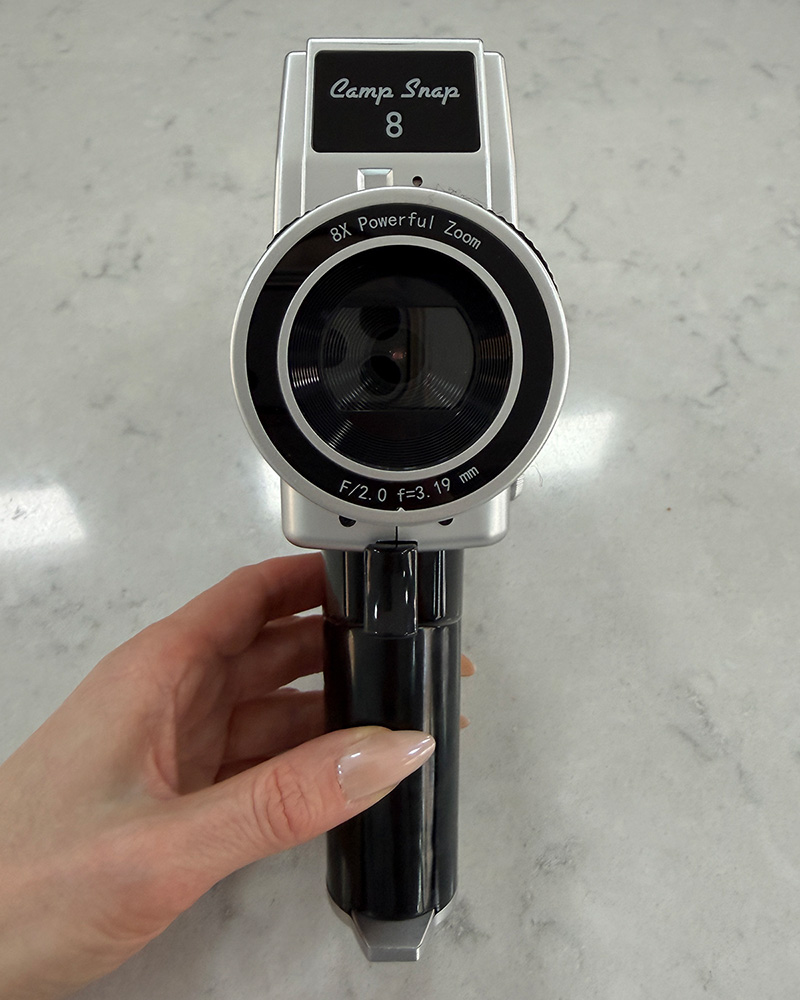
Camp Snap CS-8 review: Final thoughts
I’m not expecting it to give me the same style footage as my iPhone, what would be the point in that? It’s not replacing my iPhone, it’s an additional content creation tool for me for taking more nostalgic, in the moment videos. I plan on using it for situations where the feel of a Super 8 or using one of the filters would suit the vibe better. Which is why I used it to film the pre-screening of Epic: Elvis Presley in Concert.
In my opinion, it’s imperfectly perfect.
Shop Camp Snap cameras and video recorders
Who’s Camp Snap CS-8 for and who’s is not for?
If you like being creative, living in the moment, having fun with filming and creating something different and nostalgic I think you’ll love this. In a world full of AI perfection and photoshop, it’s nice to have something that feels a bit gritty and real.
If you like crisp, highly saturated, HD videos with built in stability you’re probably not going to like this. The Camp Snap CS-8 Digital Video Camera has a 2.7k video sensor (which typically refers to a resolution of 2704 x 1520 pixels) which is a higher resolution than Full HD (1920 x 1080) but lower than 4k (3840 x 2160).

FAQ’s
How good is the quality? It shoots f/2.0 f=3.29mm 1 / 2.7” sensor (25.7mm equivalent in 35mm terms). It’s purposely designed to give results like a Super 8 and give you more of that classic camcorder or home movie look with softer more nostalgic tones.
What are it’s dimensions of the Camp Snap screen-free digital camera: 8.75×8.25×2.75 in / 22.2 × 21.0 × 7.0 cm.
How do you transfer the videos to your phone or computer?
- Simply use the same USB-C cable you use for charging to connect the Camp Snap screen-free digital camera to your iPhone.
- Turn on your CS-8 camera and open your photos app.
- Click import at the bottom of your screen.
- Select the clips you want to import.
- Once you see a check mark/tick by the clip it means it’s been imported.
- Once you are sure they’re imported you can choose to keep or delete them from your SD card.
To transfer to your computer:
How much does it cost? It’s currently $199 (plus tax depending on where you live) but you can use my discount code.
Is there a Camp Snap discount code? Yes, use our discount code EVE7 for 7% off.
Follow
For more reviews, discount codes, and CS-8 footage.